
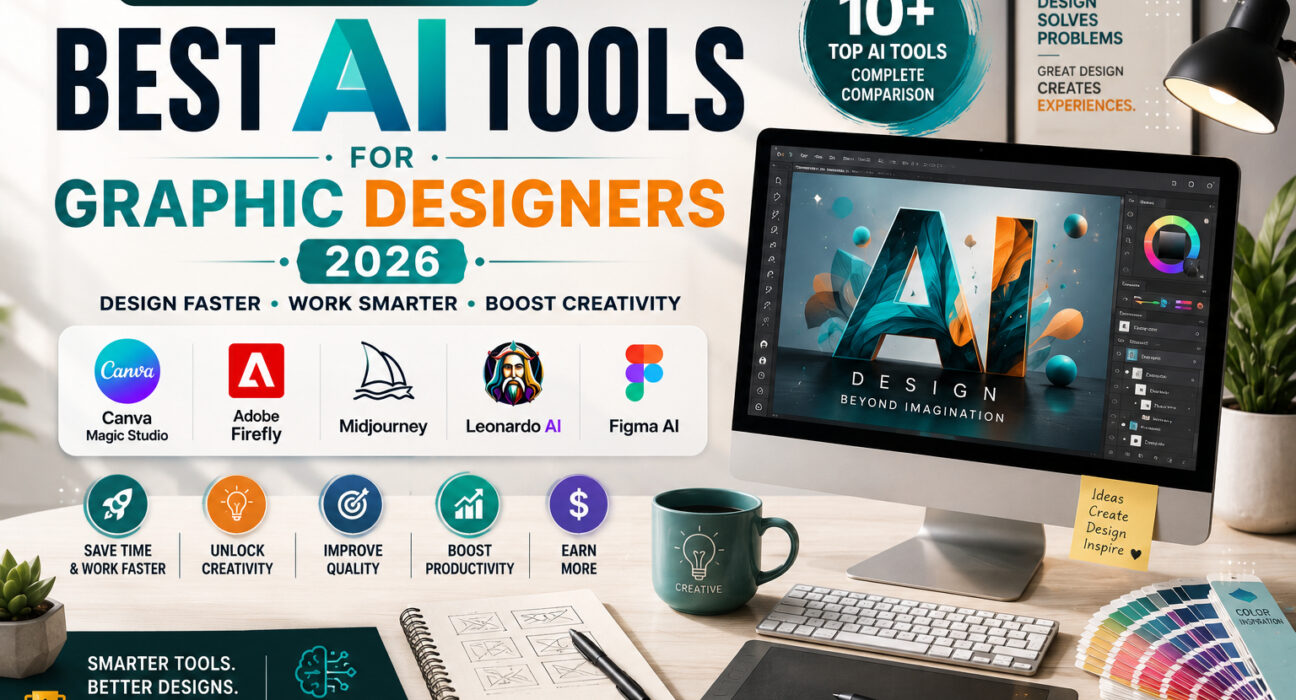
AI Tools for Graphic Designers: The Ultimate Guide to Design Faster, Smarter, and More Creatively in 2026
Design better. Work faster. Impress clients. Discover the best AI tools every graphic designer should use in 2026.
Introduction
Graphic design has always been a blend of creativity, technical skills, and problem-solving. However, in 2026, the design landscape is evolving faster than ever. Artificial Intelligence (AI) is no longer a futuristic concept—it’s becoming an everyday creative assistant for freelancers, agencies, content creators, and businesses worldwide.
From generating stunning illustrations in seconds to removing backgrounds with a single click, AI-powered design tools are transforming how designers work. Instead of replacing creativity, these tools eliminate repetitive tasks, speed up workflows, and give designers more time to focus on what truly matters—creating exceptional visual experiences.
Whether you’re a freelance graphic designer juggling multiple client projects, a social media designer producing daily content, or a branding expert building professional identities, the right AI tools can significantly improve your productivity and creative output.
In this guide, you’ll discover the best AI tools for graphic designers in 2026, including their key features, pricing, advantages, limitations, and the types of designers who will benefit most from each one.
If your goal is to save time, deliver better work, and stay competitive in an AI-driven industry, this guide is for you.
Why Graphic Designers Should Embrace AI in 2026
The role of AI in graphic design isn’t about replacing human designers—it’s about enhancing their capabilities.
Modern clients expect:
- Faster turnaround times
- High-quality visuals
- More creative concepts
- Consistent branding
- Affordable pricing
Meeting all these expectations manually can quickly become overwhelming, especially for freelancers managing multiple clients simultaneously.
AI helps bridge that gap.
Instead of spending hours on repetitive editing tasks, designers can automate routine work and dedicate more energy to creative strategy, storytelling, and visual innovation.
Here are some everyday design tasks AI can simplify:
- Removing image backgrounds instantly
- Generating creative concepts
- Creating marketing graphics
- Designing social media posts
- Upscaling low-quality images
- Expanding image backgrounds
- Color palette generation
- Typography suggestions
- Mockup creation
- Brand identity inspiration
The result?
More productivity.
Better client satisfaction.
Higher earning potential.
What Makes a Great AI Design Tool?
With hundreds of AI tools entering the market every year, choosing the right one can feel overwhelming.
When evaluating AI tools for this guide, we focused on the features that matter most to freelance designers.
Our Selection Criteria
| Feature | Why It Matters |
| Ease of Use | Short learning curve for beginners |
| AI Image Generation | Create original visuals quickly |
| Editing Features | Save hours on manual work |
| Collaboration | Useful for teams and clients |
| Pricing | Affordable for freelancers |
| Export Quality | High-resolution professional output |
| Commercial License | Safe for client projects |
Not every designer needs the same software.
A logo designer has different requirements than a YouTube thumbnail creator or a UI/UX designer.
That’s why we’ve included tools suitable for different creative workflows.
Best AI Tools for Graphic Designers in 2026
-
1. Canva Magic Studio
Canva has evolved far beyond a beginner-friendly design platform. With the introduction of Magic Studio, it has become one of the most accessible AI-powered creative suites available today.
Its AI features enable designers to generate presentations, resize designs instantly, remove objects from images, create marketing content, and even generate visuals using simple text prompts.
For freelancers who create social media graphics, business presentations, advertisements, and promotional materials, Canva offers an excellent balance between simplicity and powerful AI automation.
Best Features
- Magic Design
- Magic Media (Text-to-Image)
- Background Remover
- Magic Resize
- AI Writing Assistant
- Brand Kit
- AI Photo Editing
- One-click Social Media Design
Pros
- Extremely beginner-friendly
- Huge template library
- Cloud-based collaboration
- Excellent for freelancers
- Fast design workflow
Cons
✘ Limited advanced illustration tools
✘ Less flexible than professional Adobe software
Pricing
- Free Plan Available
- Pro Plan
- Teams Plan
Best For
- Freelancers
- Social Media Designers
- Small Businesses
- Marketing Agencies
- Content Creators
-
Adobe Firefly
Adobe has integrated AI directly into its creative ecosystem through Firefly, making it one of the most powerful AI tools for professional designers.
Rather than replacing Photoshop or Illustrator, Firefly enhances them with intelligent features like Generative Fill, Generative Expand, text effects, vector recoloring, and AI-powered image generation.
For designers already working within the Adobe Creative Cloud ecosystem, Firefly offers a seamless way to accelerate workflows without changing familiar tools.
One of its biggest advantages is its commercial safety. Adobe trains Firefly on licensed and public-domain content, making it a strong choice for client work where copyright concerns matter.
Best Features
- Generative Fill
- AI Image Generation
- Vector Recolor
- Text Effects
- Background Expansion
- Photoshop Integration
- Illustrator Integration
Pros
- Professional-quality output
- Excellent Photoshop integration
- Commercial-friendly AI model
- Ideal for client projects
Cons
✘ Requires Adobe ecosystem for full power
✘ Subscription can be expensive
Pricing
- Free Credits Available
- Creative Cloud Subscription for advanced usage
Best For
- Professional Graphic Designers
- Branding Agencies
- Print Designers
- Creative Studios
-
Midjourney
When it comes to AI image generation, Midjourney remains one of the most impressive tools available in 2026. Known for its artistic style, cinematic lighting, and exceptional attention to detail, it has become a favorite among graphic designers, branding experts, illustrators, and creative agencies.
Instead of starting every concept from a blank canvas, designers can use Midjourney to quickly generate mood boards, product concepts, poster ideas, advertising visuals, book covers, and digital artwork. This significantly reduces brainstorming time while inspiring fresh creative directions.
Although Midjourney is incredibly powerful, it works best as a creative partner rather than a replacement for traditional design software. Many professionals generate concepts in Midjourney and then refine them in Photoshop or Illustrator for client-ready results.
Best Features
- High-quality AI image generation
- Cinematic and artistic styles
- Excellent prompt interpretation
- Multiple aspect ratios
- Style customization
- Fast concept creation
Pros
- Exceptional image quality
- Inspires creative thinking
- Great for branding and advertising
- Saves hours during concept development
Cons
✘ Requires effective prompting skills
✘ Final client work often needs additional editing
Pricing
- Paid subscription plans
Best For
- Brand Designers
- Poster Designers
- Creative Agencies
- Illustrators
- Digital Artists
-
Leonardo AI
Leonardo AI has rapidly become one of the most versatile AI image-generation platforms for designers. It offers impressive control over styles, consistency, and image refinement, making it suitable for both commercial and personal creative projects.
Unlike many basic AI image generators, Leonardo AI gives users greater flexibility through custom models, image guidance, prompt enhancements, and style presets. Designers can create everything from marketing graphics and product mockups to gaming assets and brand illustrations.
Its intuitive interface makes it approachable for beginners, while advanced settings provide enough creative control for experienced professionals.
Best Features
- AI image generation
- Prompt enhancement
- Style presets
- AI canvas editing
- Image upscaling
- Custom AI models
Pros
- Beginner-friendly interface
- Excellent image consistency
- Strong commercial design capabilities
- Frequent feature updates
Cons
✘ Credit-based usage can limit heavy workflows
✘ Advanced settings may take time to master
Pricing
- Free plan available
- Premium subscription options
Best For
- Freelancers
- Marketing Designers
- Product Designers
- Game Asset Creators
5. Ideogram
Creating AI-generated images with readable text has traditionally been a challenge. That’s where Ideogram stands out. It excels at generating visuals that include clear typography, making it especially valuable for logo concepts, posters, advertisements, packaging, and social media graphics.
For designers who regularly combine text and visuals, Ideogram reduces the need for extensive manual corrections after generating AI artwork.
It also offers a clean interface, fast rendering, and a growing collection of style options, making it an increasingly popular choice among freelancers and creative professionals.
Best Features
- AI-generated typography
- Logo concept creation
- Poster generation
- Marketing visuals
- High-quality prompt understanding
Pros
- Excellent text rendering
- Great for advertising creatives
- Fast image generation
- Easy to learn
Cons
✘ Limited advanced editing features
✘ Best used alongside traditional design software
Pricing
- Free plan
- Paid subscription plans
Best For
- Logo Designers
- Social Media Designers
- Marketing Agencies
- Print Designers
6. Figma AI
While Figma has long been the go-to platform for UI and UX design, its AI-powered features have transformed it into a smarter collaboration and design environment.
Figma AI helps designers generate layouts, organize components, rename layers automatically, create interface suggestions, and accelerate repetitive design tasks. Instead of spending valuable time on manual adjustments, designers can focus on user experience and creative problem-solving.
Because Figma is cloud-based, teams can collaborate in real time, making it especially valuable for agencies, startups, and remote design teams.
Best Features
- AI layout generation
- Smart layer organization
- UI suggestions
- Component automation
- Team collaboration
- Cloud-based workflow
Pros
- Excellent collaboration tools
- Huge productivity boost
- Ideal for UI/UX projects
- Easy team communication
Cons
✘ Primarily focused on interface design
✘ Some AI features require paid plans
Pricing
- Free plan available
- Professional and Organization plans
Best For
- UI Designers
- UX Designers
- Product Designers
- SaaS Companies
- Design Teams
Quick Tip
Using multiple AI tools together often produces the best results. For example:
- Midjourney → Generate creative concepts.
- Adobe Firefly → Refine and edit visuals professionally.
- Canva Magic Studio → Quickly prepare social media graphics.
- Figma AI → Design website or app interfaces.
- Ideogram → Create visuals with accurate typography.
By combining each tool’s strengths, you can build a faster, more efficient workflow and deliver higher-quality designs to clients.
7. Clipdrop
Clipdrop is an AI-powered image editing toolkit that helps designers perform complex editing tasks in just a few clicks. Whether you need to remove unwanted objects, improve lighting, upscale an image, or extend a photo beyond its original boundaries, Clipdrop makes the process fast and intuitive.
For freelance designers working with product photography, social media visuals, or marketing assets, Clipdrop can dramatically reduce editing time while maintaining professional-quality results.
Best Features
- AI Cleanup
- Background Removal
- Relight Tool
- Image Upscaler
- Uncrop
- Replace Background
Pros
- Saves significant editing time
- Excellent for product photography
- User-friendly interface
Cons
✘ Limited free usage
✘ Not a full replacement for Photoshop
Best For
- Marketing Designers
- Product Designers
- Freelancers
- E-commerce Creators
8. Remove.bg
Removing image backgrounds manually can be time-consuming. Remove.bg simplifies this task by automatically detecting subjects and removing backgrounds within seconds.
It’s especially useful for designers creating eCommerce product listings, social media graphics, profile images, and marketing materials.
Best Features
- One-click Background Removal
- Transparent PNG Export
- Batch Processing
- API Integration
Pros
- Extremely fast
- Accurate subject detection
- Perfect for eCommerce
Cons
✘ High-resolution downloads require credits
Best For
- Online Sellers
- Graphic Designers
- Marketing Teams
- Content Creators
9. Khroma
Color selection is one of the most important aspects of visual design. Khroma uses AI to generate personalized color palettes based on your preferences, helping designers discover combinations that are both attractive and consistent.
Instead of relying on random inspiration, designers can quickly find harmonious color schemes for branding, websites, presentations, and marketing materials.
Best Features
- AI Color Palette Generator
- Unlimited Color Combinations
- WCAG Accessibility Preview
- Gradient Inspiration
Pros
- Excellent for branding
- Free to use
- Great creative inspiration
Cons
✘ Focused only on color selection
Best For
- Brand Designers
- UI Designers
- Web Designers
10. Looka
Looka combines AI with branding principles to help users create logos and complete brand identities in minutes. While it doesn’t replace professional logo design, it’s a valuable tool for brainstorming ideas and creating quick brand concepts for startups or small businesses.
Freelancers can also use Looka during the early stages of client discussions to present visual directions before developing a fully customized identity.
Best Features
- AI Logo Generator
- Brand Kit Creation
- Business Card Designs
- Social Media Assets
Pros
- Fast logo concepts
- Beginner-friendly
- Complete branding package
Cons
✘ Limited customization compared to custom design
Best For
- Startup Branding
- Small Businesses
- Freelance Designers
Comparison Table
| Tool | Best For | Free Plan | Difficulty |
| Canva Magic Studio | Social Media & Marketing | Yes | Easy |
| Adobe Firefly | Professional Design | Limited | Medium |
| Midjourney | AI Art & Concepts | No | Advanced |
| Leonardo AI | Commercial AI Images | Yes | Easy |
| Ideogram | Typography & Posters | Yes | Easy |
| Figma AI | UI/UX Design | Yes | Medium |
| Clipdrop | Image Editing | Limited | Easy |
| Remove.bg | Background Removal | Limited | Easy |
| Khroma | Color Palettes | Yes | Easy |
| Looka | Logo & Branding | Demo | Easy |
How to Choose the Right AI Tool
Not every designer needs every AI tool. The best choice depends on your workflow and the type of projects you handle.
Choose Canva Magic Studio if:
- You design social media graphics.
- You create presentations or marketing materials.
- You want speed and simplicity.
Choose Adobe Firefly if:
- You already use Photoshop or Illustrator.
- You work on commercial client projects.
- You need professional editing features.
Choose Midjourney if:
- You create concept art.
- You design posters or advertising visuals.
- You want highly artistic AI-generated images.
Choose Figma AI if:
- You specialize in UI/UX design.
- You collaborate with teams.
- You build websites or mobile apps.
Choose Clipdrop or Remove.bg if:
- You edit product photos.
- You work in eCommerce.
- You frequently remove backgrounds or clean up images.
Pro Tips for Freelance Graphic Designers
AI can make you faster, but it won’t replace creativity. The most successful designers use AI as an assistant—not as a shortcut.
Here are a few best practices:
- Start with AI-generated concepts, then customize them.
- Always review AI outputs before delivering to clients.
- Maintain a consistent brand style instead of relying solely on AI suggestions.
- Stay updated, as AI tools evolve rapidly.
- Learn prompt writing to get better and more accurate results.
Remember, clients pay for your ideas, experience, and creative decisions—AI simply helps you deliver them more efficiently.
Frequently Asked Questions (FAQs)
1. Can AI replace graphic designers?
No. AI is a powerful assistant, but it cannot replace human creativity, strategic thinking, or the ability to understand a client’s vision. The best results come when designers use AI to enhance—not replace—their creative process.
2. Which AI tool is best for beginners?
Canva Magic Studio is one of the best options for beginners. Its intuitive interface and ready-made templates make it easy to create professional designs without a steep learning curve.
3. What is the best AI image generator in 2026?
It depends on your needs:
- Midjourney – Artistic and creative visuals
- Leonardo AI – Commercial-quality AI images
- Adobe Firefly – Professional editing and design
- Ideogram – AI images with accurate text
4. Are AI-generated designs safe for client work?
Yes, but always review the licensing terms of each platform. For commercial projects, tools like Adobe Firefly and Canva provide clearer commercial usage policies.
5. Should freelance designers learn AI?
Absolutely. AI is becoming an essential part of modern design workflows. Learning these tools can help you work faster, improve productivity, and stay competitive in the freelance market.
Final Verdict
Artificial Intelligence isn’t replacing graphic designers—it’s reshaping how they work.
The most successful designers in 2026 won’t be those who avoid AI. They’ll be the ones who know when to use it, how to use it, and where human creativity still makes all the difference.
Whether you’re creating logos, social media graphics, UI designs, marketing materials, or brand identities, the right AI tools can help you reduce repetitive work, generate fresh ideas, and deliver higher-quality results in less time.
Start with one or two tools that match your workflow, master them, and gradually expand your AI toolkit as your projects grow.
Remember: AI generates possibilities—but great designers create experiences.
Conclusion
The future of graphic design is not about choosing between humans and AI—it’s about combining the strengths of both.
From Canva Magic Studio and Adobe Firefly to Midjourney, Leonardo AI, Figma AI, and Clipdrop, today’s AI tools offer incredible opportunities for designers to work smarter and achieve more.
As AI technology continues to evolve, staying curious and continuously learning will be one of your greatest competitive advantages.
The sooner you embrace AI as part of your creative process, the better prepared you’ll be for the future of design.
Ready to Transform Your Design Workflow?
If you’re serious about growing as a freelance graphic designer, don’t wait for AI to become the industry standard—it already is.
Start exploring the tools featured in this guide, experiment with different workflows, and discover which ones best fit your creative style.
The right combination of creativity + AI + continuous learning can help you design faster, impress more clients, and build a successful freelance career in 2026 and beyond.
Which AI design tool is your favorite? Let us know in the comments below!